Build language skills through short, adaptive practice.

Flash is a mobile language-learning app that helps you acquire vocabulary and sentence patterns through short, adaptive sessions โ€” so you retain what you practice.

Android open beta ยท English and Spanish

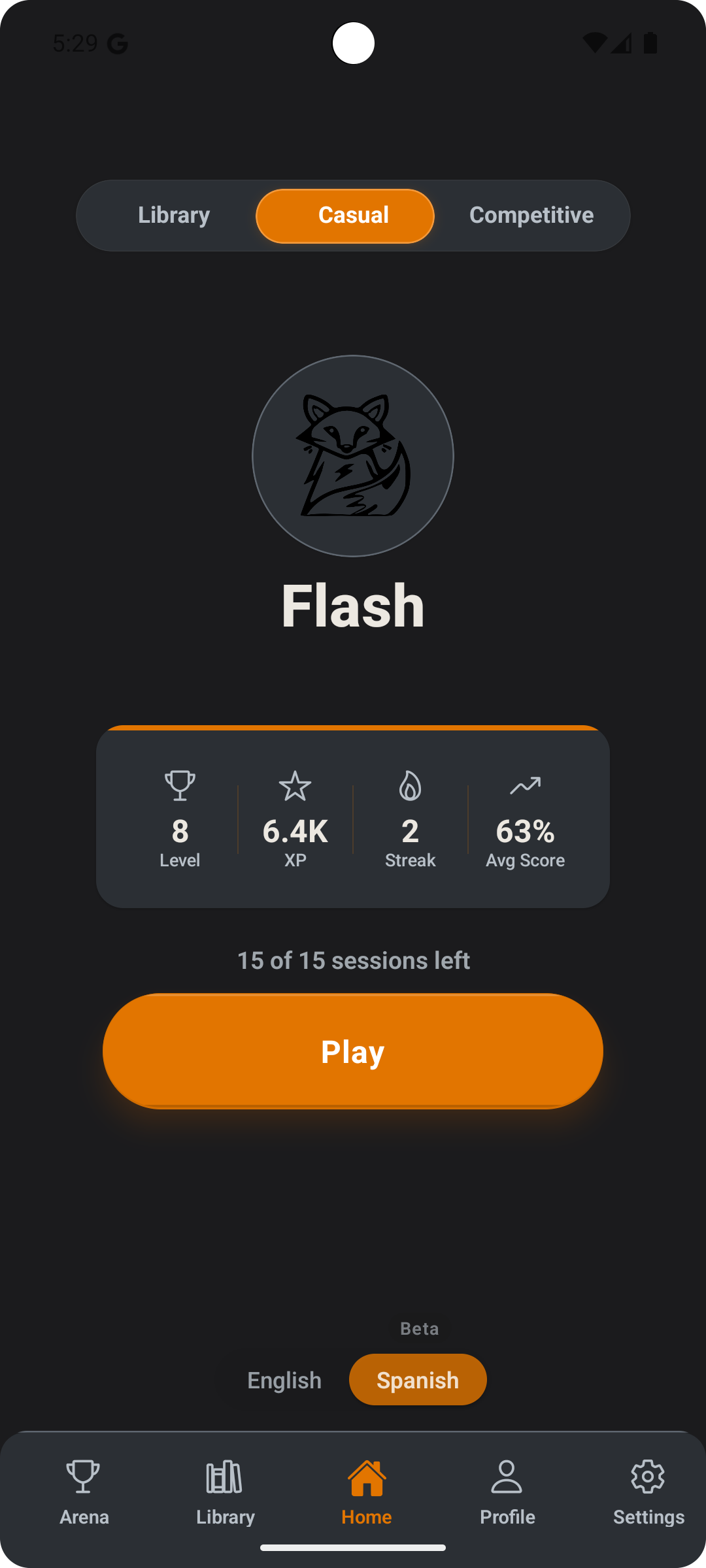
Flash app home screen โ€” level progress, XP stats, and Play button
Android beta
English + Spanish
Adaptive review
Progress tracking

Why Flash

Traditional study methods โ€” word lists, flashcard apps, grammar drills โ€” demand too much time and produce too little engagement. Most learners stop before real retention happens.

โšก

Lower friction

Sessions are short and immediate. No setup, no long lessons to load. You practice in minutes, not hours.

๐Ÿ”

Built-in repetition

Adaptive review targets the words you need most. Progress does not rely on discipline alone โ€” the system guides the loop.

๐ŸŽฏ

Outcome-focused

Flash is built around vocabulary acquisition and sentence pattern recognition โ€” the two things that move real language ability forward.

How It Works

1

Start a session

Train in short, focused bursts.

2

Answer and build streak

Fast responses turn into momentum.

3

Review adapts to you

Hard words return. Mastered words fade.

4

Compete if you want

Leaderboards are optional, not required.

Current Status

๐Ÿ“ฑ

Android open beta

Available now on Google Play for all users.

๐ŸŒ

Multilingual support

English and Spanish available. More languages planned.

๐Ÿ”ง

Actively developed

Core learning, review, streak, and progress systems are live and improving.

๐Ÿš€ Available Now

Download Flash

Flash is live on Google Play. Download the app, select your language (English or Spanish), and start building vocabulary skills in short, adaptive sessions.

๐Ÿ“ฑ Android
๐ŸŒ English + Spanish
โšก Free to play
Get Flash on Google Play

Questions or feedback? Email us at cortexdigitaltech@gmail.com.

About

Flash is built by Eray Korkmaz, a solo founder and developer. The app is now live on Google Play and actively used across multiple markets.

Questions or partnership interest: cortexdigitaltech@gmail.com

Account Deletion

How to Delete Your Account

  1. Open the Flash app on your device
  2. Navigate to Settings
  3. Scroll to the bottom to find Danger Zone
  4. Tap Delete Account
  5. Confirm the deletion when prompted

โš ๏ธ Note: Account deletion is permanent and cannot be undone.

What Data Is Deleted

  • Firebase Authentication account โ€” Your login credentials and authentication data
  • User profile information โ€” Name, email, profile settings
  • Gameplay statistics โ€” XP, levels, streaks, match history
  • Vocabulary progress โ€” Word unlock state, learning progress
  • Collections and achievements โ€” Custom word lists, badges
  • App preferences โ€” Settings, notification preferences
  • Local caches โ€” All app data stored on your device

What Data May Be Retained

  • Purchase records โ€” Transaction history may be retained for up to 7 years as required by Google Play for legal, tax, and financial compliance
  • Aggregated analytics โ€” Anonymous, non-identifiable usage data may be retained for product improvement
  • Support logs โ€” If you contacted support, tickets may be retained for quality assurance purposes

Need Help?

If you cannot access the app to delete your account, contact us at:

๐Ÿ“ง cortexdigitaltech@gmail.com

Include the email associated with your account and mention "Account Deletion Request" in the subject line.